Phone Cleaner
Get water out of
your iPhone speaker.
Phone Cleaner plays low-frequency tones that vibrate the speaker and push water and dust out of the grille. Place the iPhone speaker-down on a towel and start a 45-second clean; repeat if the sound is still muffled.

How to eject water
from an iPhone speaker
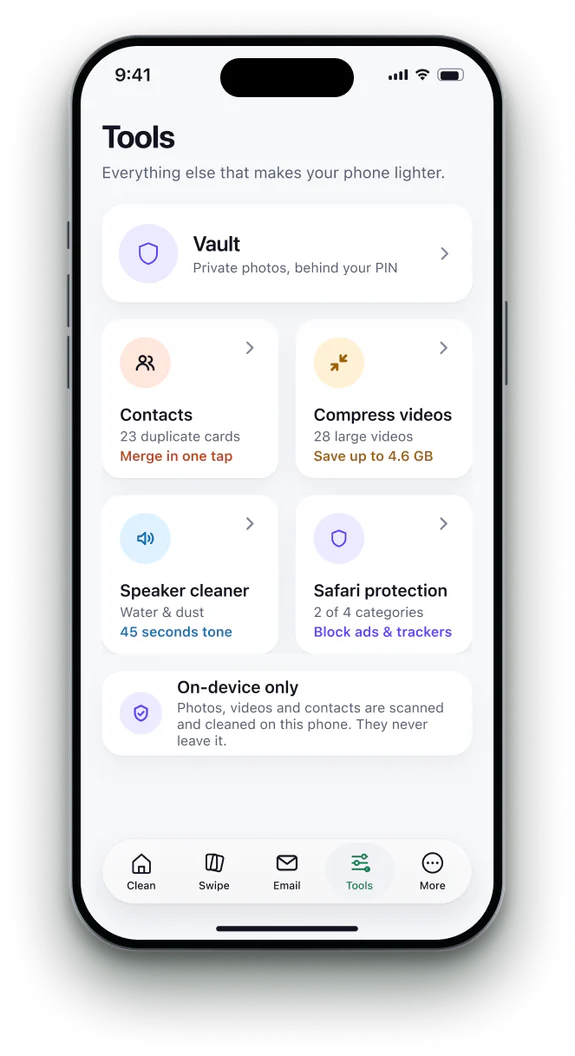 1Open Speaker cleaner
Find it on the Tools tab.
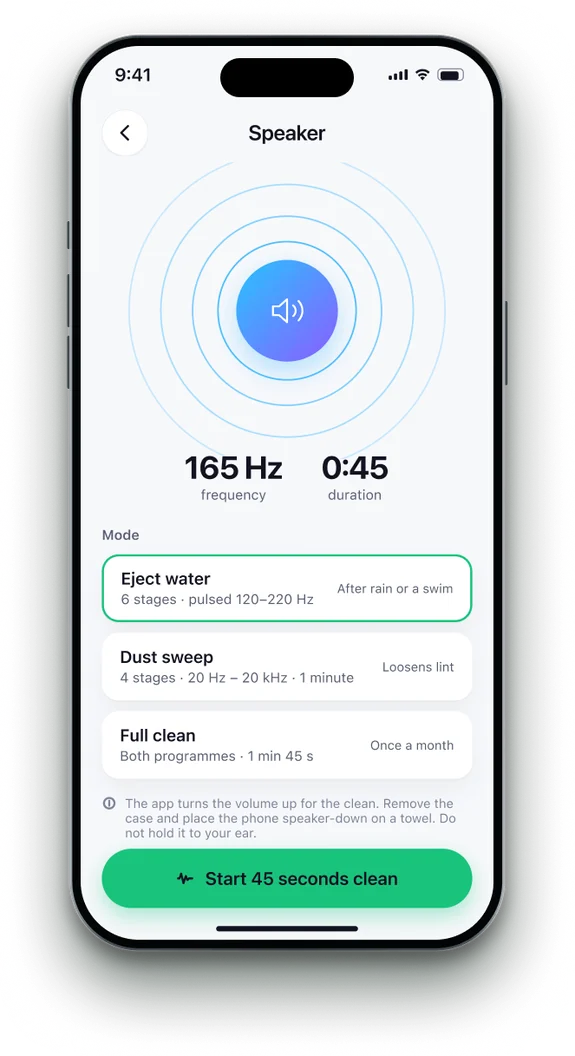 2Use the iPhone speaker
Disconnect AirPods and Bluetooth speakers. The app turns the volume up for you.
- 3Place it speaker-down
Remove the case, put the iPhone speaker-down on a towel and tap Start. Do not hold it to your ear.
- 4Repeat if needed
Run it again if the sound is still muffled.

Phone Cleaner in brief
- Made for
- iPhone with iOS 18 or later, iPhone Duo, and iPad with iPadOS 18 or later
- Privacy
- Runs on device. No account; photos, contacts and emails never uploaded
- Deleting
- Removed items stay 30 days in Recently Deleted
- Languages
- 20 — English plus 19 translations
- Price
- Free trial, then a subscription in the app
- Made by
- iHux
Questions about speaker cleaner
Is it the same as a water eject Shortcut?
It works the same way — a low tone that moves the speaker — without installing a Shortcut, and it runs a 45-second programme of several tones.
Does it work with AirPods or Bluetooth?
No. It needs the iPhone's own speaker.
How long does it take?
About 45 seconds to eject water. The dust sweep takes a minute, a full clean 1 minute 45 seconds.
Will it fix a damaged speaker?
No. If sound stays muffled once dry, contact Apple Support.
Does it need the internet?
No. The tones are generated on your iPhone.