Phone Cleaner
SwipeSwipe to sort your
Swipe to sort your
photos, month by month.
Short answer
Phone Cleaner shows your library one photo at a time. Swipe left to send a photo to Trash, right to keep it; progress is saved month by month. Nothing is deleted until you review the Trash and confirm.
Download on theApp StoreFree trial · iPhone, iPhone Duo and iPad · iOS and iPadOS 18 or later

Recents
127
How to sort photos
by swiping
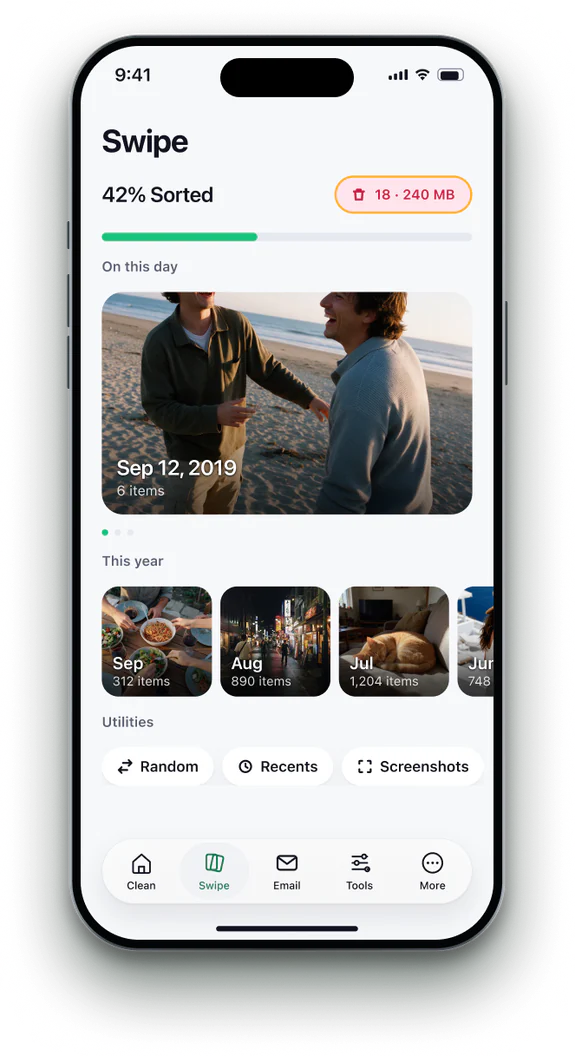 1Open the Swipe tab
Your library is grouped by month, newest first.
- 2Pick a month
Progress shows how much of each month you have sorted.
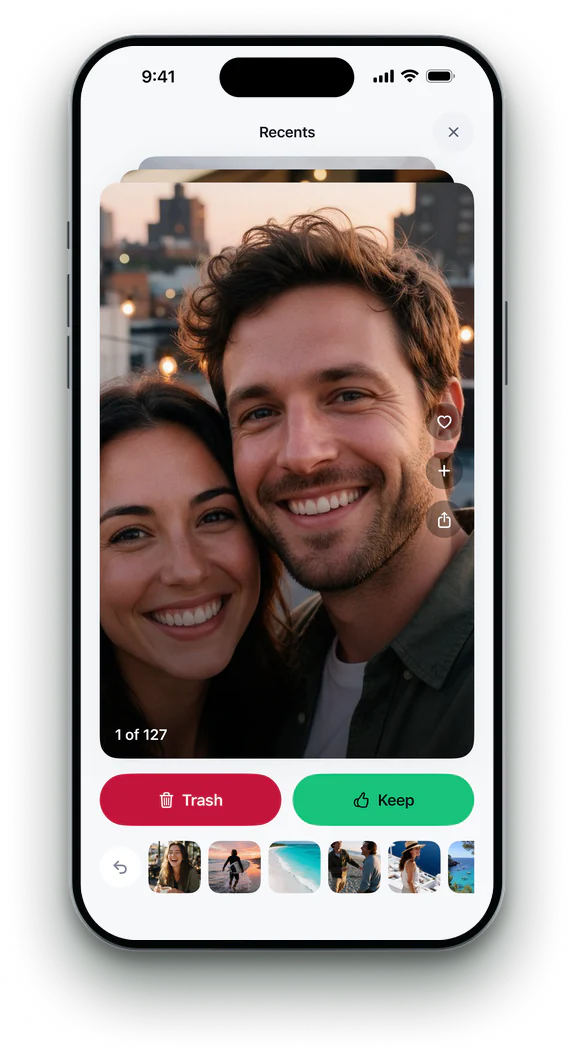 3Swipe left or right
Left sends a photo to Trash, right keeps it. Hold a Live Photo to play it.
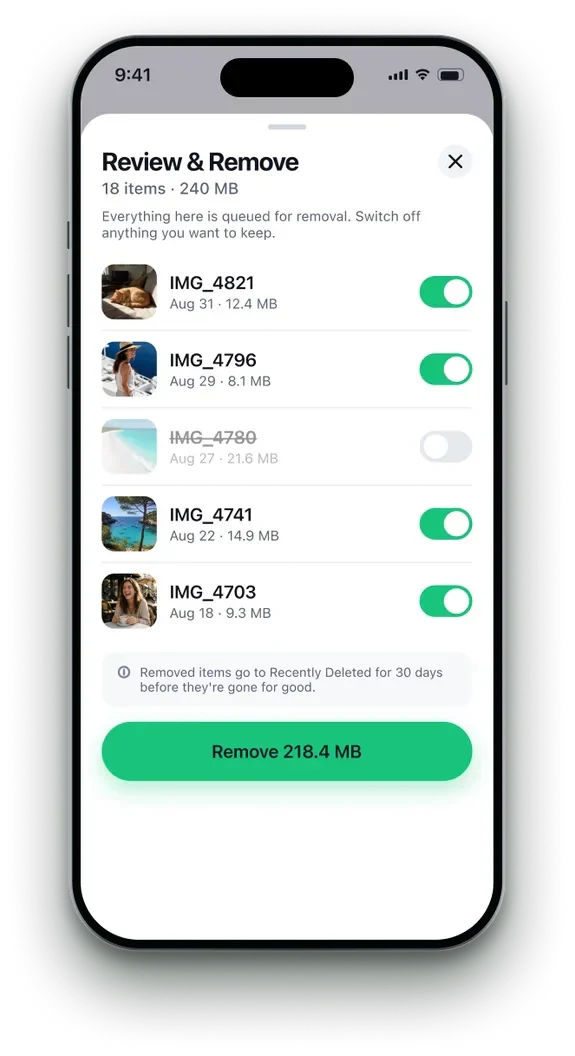 4Review and remove
Check the Trash, then remove. Photos wait 30 days in Recently Deleted.


Phone Cleaner in brief
- Made for
- iPhone with iOS 18 or later, iPhone Duo, and iPad with iPadOS 18 or later
- Privacy
- Runs on device. No account; photos, contacts and emails never uploaded
- Deleting
- Removed items stay 30 days in Recently Deleted
- Languages
- 20 — English plus 19 translations
- Price
- Free trial, then a subscription in the app
- Made by
- iHux
Questions about swipe photos
Can I undo a swipe?
Yes. Tap Undo straight after, or take the photo back out of the Trash before you confirm.
Do Live Photos play?
Hold a Live Photo to play its motion before you decide.
Is my progress saved?
Yes, month by month, even if you close the app.
Does it delete from iCloud Photos?
Photos you confirm leave iCloud Photos too, and wait 30 days in Recently Deleted.