Phone Cleaner
Delete duplicate photos
on iPhone in one tap.
Phone Cleaner finds duplicate and near-identical photos on your iPhone, groups them by moment and keeps the best shot. Review a group, tap Delete, and the rest go to Recently Deleted for 30 days. It all runs on your iPhone — your photos are never uploaded.

How to delete duplicate
photos on iPhone
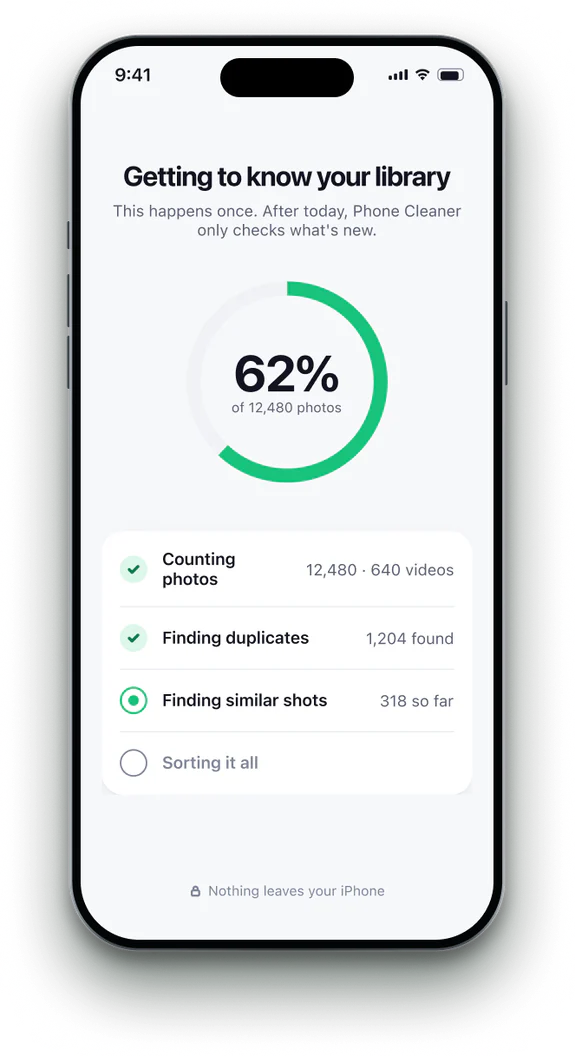 1Open Phone Cleaner
Allow access to your photos. The scan runs on your iPhone; your photos aren't uploaded.
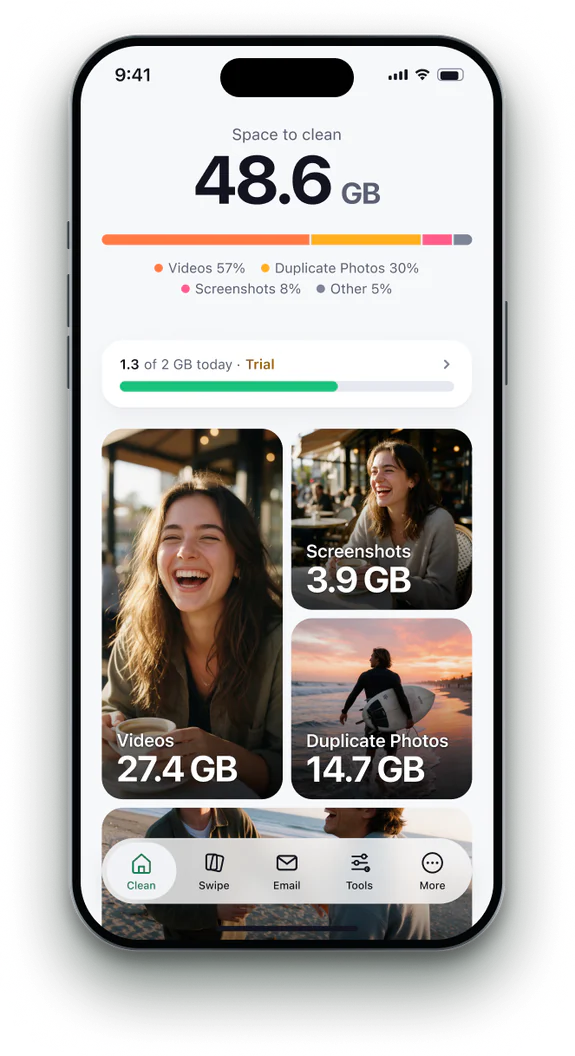 2Tap Duplicate Photos
On the Clean tab, open the Duplicate Photos card to see every group.
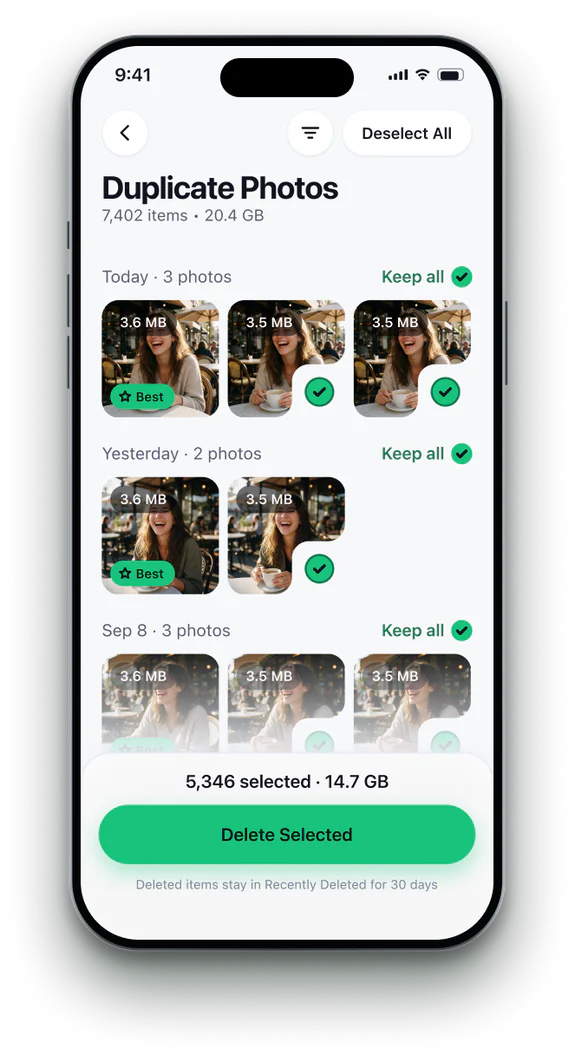 3Check each group
The best shot is marked and kept. Change it with a tap if you prefer another.
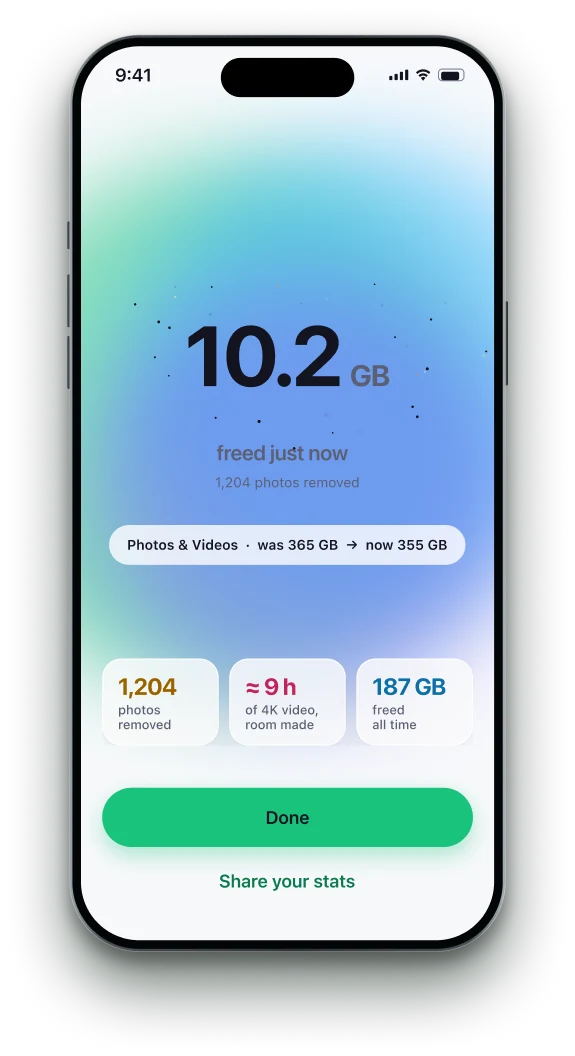 4Tap Delete Selected
The rest go to Recently Deleted, where they stay for 30 days.


The Photos app's Duplicates
album, and what it leaves.
| Feature | Photos › Duplicates | Phone Cleaner |
|---|---|---|
| Exact copies | ✓yes | ✓yes |
| Near-identical shots and bursts | —no | ✓yes |
| Screenshots, blurry and odd photos | —no | ✓yes |
| Space you'll free, per group | —no | ✓yes |
| Runs on your iPhone | ✓yes | ✓yes |
Photos: Utilities › Duplicates (iOS 16 and later; on iOS 26 or later, under Collections) finds exact and near-exact copies and merges them. Phone Cleaner adds similar shots, screenshots and blurry photos, and shows the space each group frees.
Phone Cleaner in brief
- Made for
- iPhone with iOS 18 or later, iPhone Duo, and iPad with iPadOS 18 or later
- Privacy
- Runs on device. No account; photos, contacts and emails never uploaded
- Deleting
- Removed items stay 30 days in Recently Deleted
- Languages
- 20 — English plus 19 translations
- Price
- Free trial, then a subscription in the app
- Made by
- iHux
Questions about duplicate photos
Does Phone Cleaner delete photos automatically?
No. It groups duplicates and marks the best shot, but nothing is removed until you tap Delete Selected.
What happens to iCloud Photos?
Deleting on your iPhone deletes from iCloud Photos too, as in the Photos app. Items stay in Recently Deleted for 30 days.
Are Live Photos and edited photos kept safe?
Live Photos and edits are treated as their own photos and are only removed if you choose them.
Does it work offline?
Yes. Scanning and grouping run on your iPhone; photos stored only in iCloud are read through Photos as needed.