Phone Cleaner
Safari protectionAn ad blocker for Safari
An ad blocker for Safari
on iPhone.
Short answer
Turn on Phone Cleaner's Safari protection and Safari hides ads, trackers and cookie pop-ups on every page. It works through Apple's content-blocker system, so Phone Cleaner never sees what you browse.
Download on theApp StoreFree trial · iPhone, iPhone Duo and iPad · iOS and iPadOS 18 or later

Rules in Safari
5,635
How to block ads
in Safari
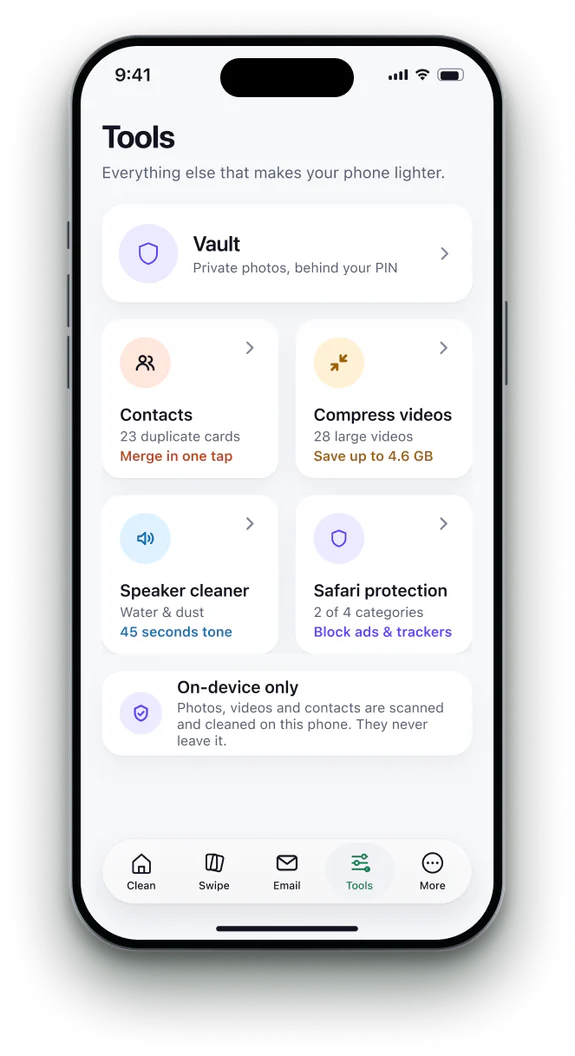 1Open Safari protection
Find it on the Tools tab.
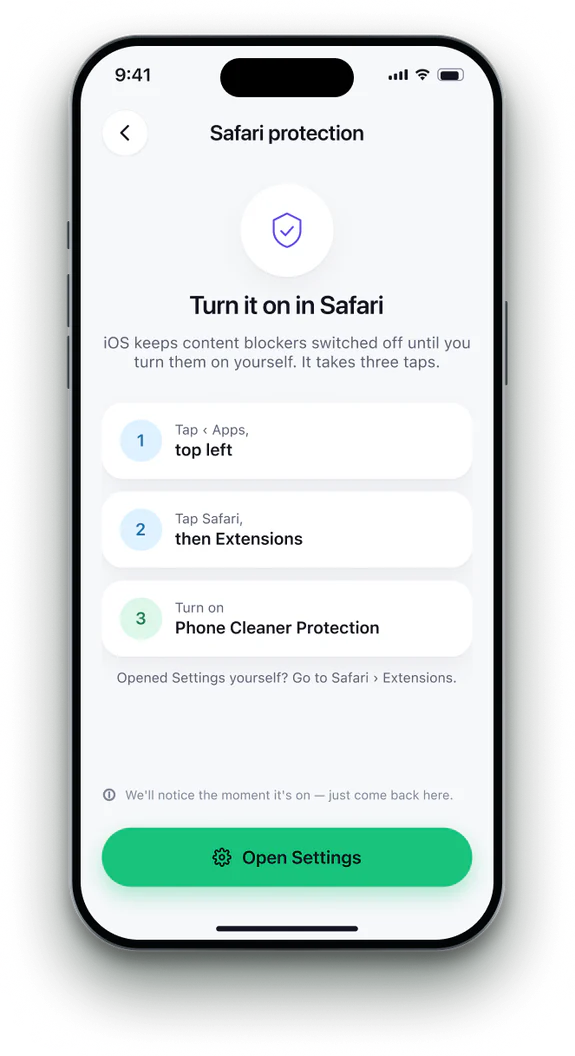 2Open Safari settings
Settings › Apps › Safari › Extensions.
- 3Turn it on
Switch on Phone Cleaner Protection.
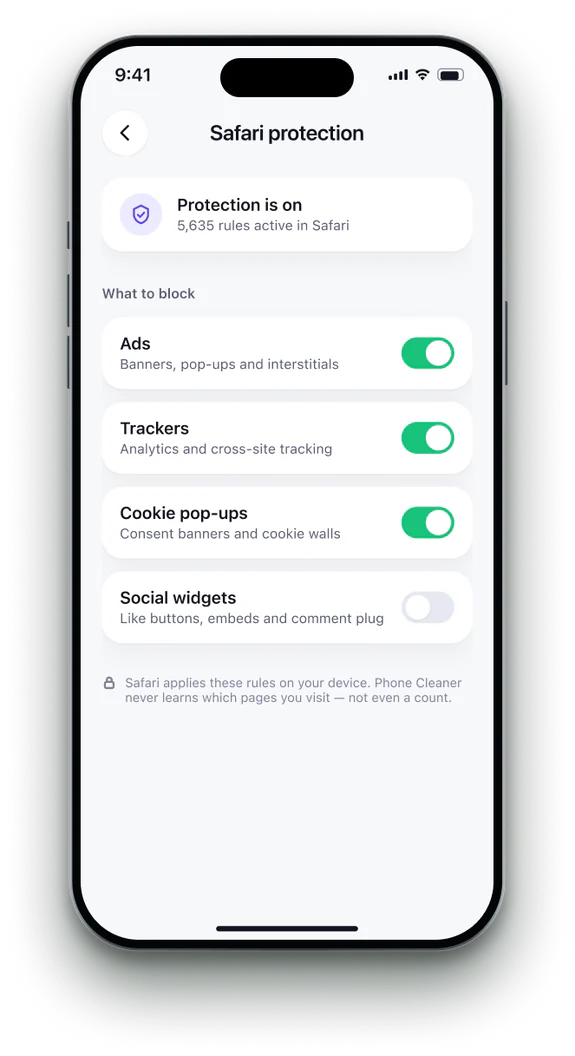 4Browse as usual
Ads, trackers and cookie pop-ups stay hidden.


Phone Cleaner in brief
- Made for
- iPhone with iOS 18 or later, iPhone Duo, and iPad with iPadOS 18 or later
- Privacy
- Runs on device. No account; photos, contacts and emails never uploaded
- Deleting
- Removed items stay 30 days in Recently Deleted
- Languages
- 20 — English plus 19 translations
- Price
- Free trial, then a subscription in the app
- Made by
- iHux
Questions about Safari ad blocker
Can Phone Cleaner see my browsing?
No. Content blockers only hand Safari a list of rules.
Does it answer cookie banners for me?
No. It hides them; the site still treats consent as unanswered, because choosing on your behalf isn't ours to do.
Does it work in other browsers?
No, Safari only.
Do I need to keep the app open?
No. Safari applies the rules on its own.